
A simple tracking format
| Field | Example | Why it helps |
|---|---|---|
| What you noticed | A short description in your own words | Preserves the observation you want to discuss |
| Date and time | Tuesday evening; started that afternoon | Places the observation on a timeline |
| Strength or impact | Mild, moderate, severe, or your own description | Records how it felt at that time instead of relying on memory |
| Context | Meal, hydration, sleep, travel, or another change you noticed | Adds background without claiming what caused the symptom |
| Question | What should I ask about this at my visit? | Turns the observation into a clear discussion prompt |
Keep the log descriptive
Write what happened rather than deciding why it happened. A symptom log can help you remember dates, changes, and questions, but it cannot determine whether a medication caused a symptom or what you should do next.
MedlinePlus recommends describing symptoms, including when they started and what makes them better or worse, and making a list of questions and concerns before an appointment.
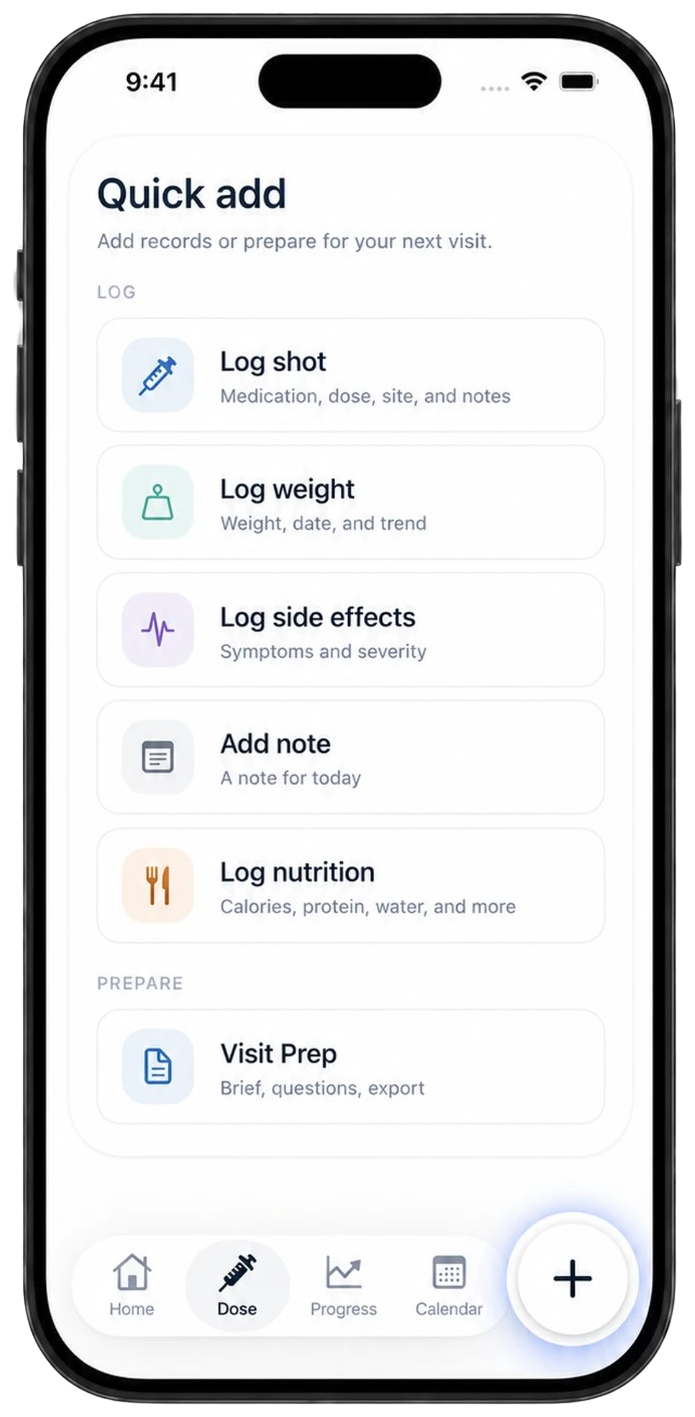
Log it quickly in Iris
Iris keeps side effects, dose history, weight, notes, nutrition, and Visit Prep in one iPhone workflow.
Iris cannot determine urgency
Iris is not emergency monitoring and does not evaluate symptoms. Contact an appropriate licensed clinician or emergency service when you need medical help rather than relying on an app log.
Sources
Common questions
Record what you noticed, when it started, how strong or disruptive it felt, relevant context, and the question you want to ask.
No. It preserves your observations. It does not diagnose a cause, determine urgency, or recommend treatment.
No. Iris organizes user-entered records. Medication, symptom, dose, and treatment decisions belong with a licensed clinician.
Related guides
Keep observations with the rest of your routine.
Use Iris on iPhone to organize dose history, symptoms, notes, and visit questions.