
Five things to compare
Check whether the app requires an account, where core records are stored, and whether personal tracking data is used for advertising. Iris does not require an account for core tracking and is designed to keep core records on your iPhone unless you choose to export or share them.
A useful routine record may include dose history, symptoms or side effects, weight changes, notes, nutrition, reminders, and calendar context. Decide which of those you will actually review later.
Logging is only useful when you can understand the timeline again. Look for clear history, calendar, and progress views rather than a collection of disconnected entries.
If you want to use the record before an appointment, check whether the app can organize questions, notes, and exports without giving treatment or dosing recommendations.
A tracker should explain what it does not do. Iris does not prescribe, source medication, calculate or verify doses, interpret symptoms, or replace a licensed clinician.
How common tracking options differ
This comparison uses common tool categories rather than unsupported claims about competing products.
| Option | Useful when | Tradeoff to consider |
|---|---|---|
| Iris | You want an iPhone workflow built around GLP-1 dose history, symptoms, progress, notes, and visit preparation. | It is iPhone-only and intentionally does not provide medical advice, dose guidance, medication sourcing, or emergency monitoring. |
| Notes app | You want flexible free-text capture with almost no setup. | You create the structure yourself, which can make dates, recurring entries, and visit review harder to scan. |
| Spreadsheet | You want custom fields, manual formulas, or desktop analysis. | Setup and maintenance are manual, and repeated mobile entry may feel slower. |
| General health tracker | You want broad wellness information in one place. | Its workflow may not be organized around GLP-1 dose history or appointment preparation. |
See the Iris workflow
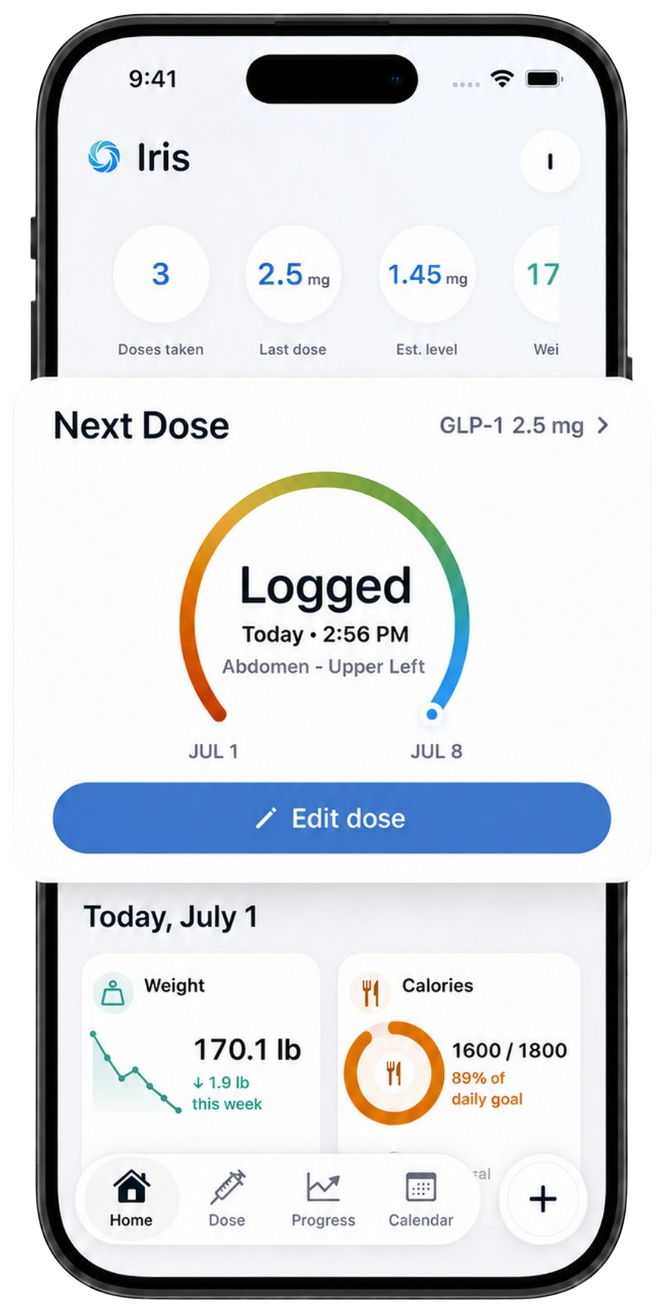
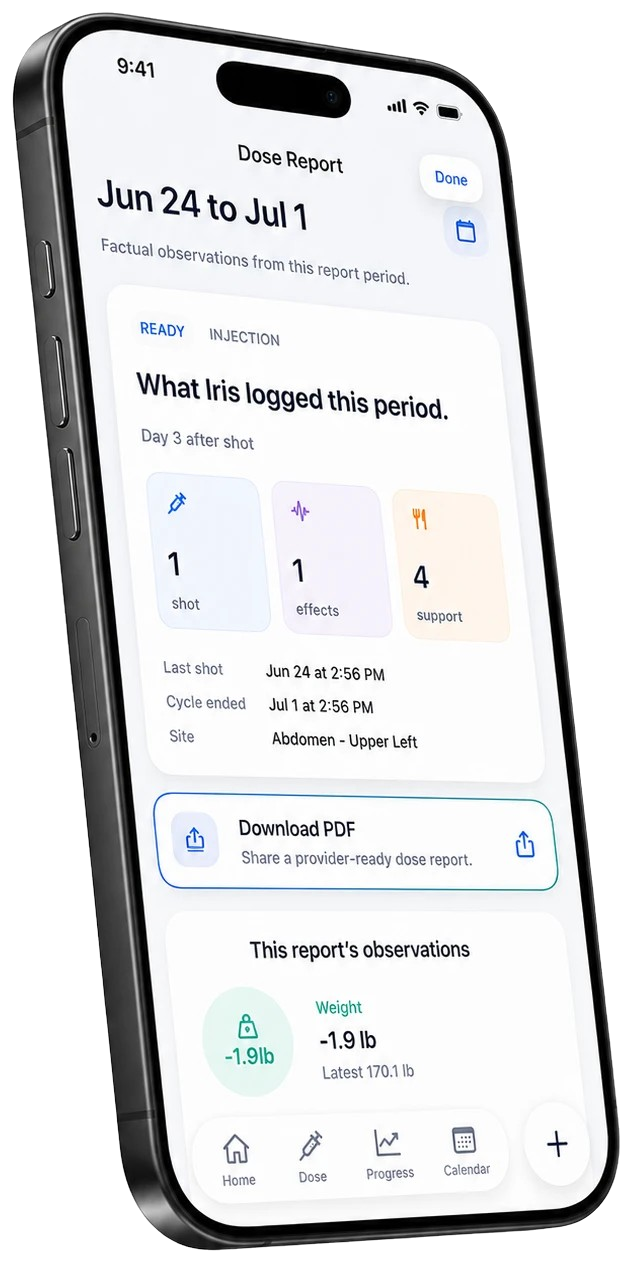
These are current Iris product screens, not conceptual illustrations.
Medical boundary
Iris helps you organize your own tracking record. Medication, dose, timing, symptom, and treatment decisions belong with a licensed clinician. Seek appropriate medical or emergency care when needed.
How this guide was prepared
Iris Tracker LLC publishes Iris, so this page is not an independent review of Iris. The comparison is limited to common tracking approaches and observable Iris product behavior. It does not rank named competitors or make claims about features we have not verified.
Related questions
Keep the week in one place.
Track your GLP-1 routine on iPhone with no account required for core tracking.